Tipy na aplikácie pre Apple Pencil

Chat fóra: a nikdo. Vstup do diskuze online

Pravidla fóra
Platí zde stejná pravidla, jako jinde na fóru. . Julek

Uživatelský avatar rony | úte kvě 24, 2016 3:01 pm

Tipy na aplikácie pre Apple Pencil

https://itunes.apple.com/sk/app/paper-b ... 03812?mt=8

Všetko od Adobe :)
Productivity
10.12.2025 03:18
Velikost: 172 MB
Cena: US$ 0
Hodnoceni: 4.57276
od 70820 lidí
QR code
Evernote Corporation
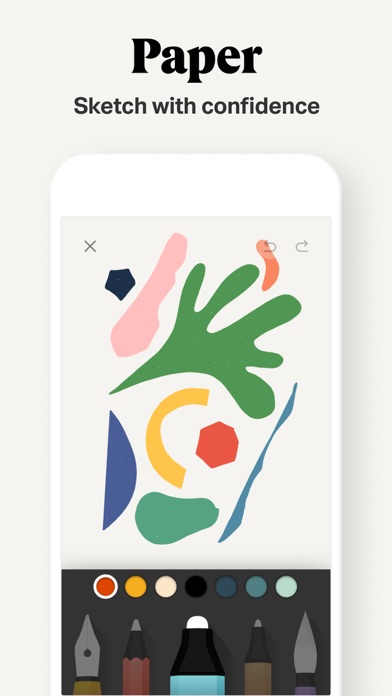
Paper: Sketch, Draw & Create 5.5.10
Over 30 million people set their ideas free with Paper®, the award-winning immersive sketching app.

SKETCH WITH CONFIDENCE
Paper’s perfectly-tuned tools make it easy to sketch, collage, paint, draw—wherever your thoughts take you. Wave goodbye to distracting menus and let natural gestures guide you, keeping you in your creative flow.

GET CREATIVE (WITHOUT THE MESS)
Add multiple photos to a single page and cut, stick, move, and fix without the fuss of complex layers. From mood boards to storyboards, pull in inspiration from anywhere and get your ideas moving.

YOUR IDEAS, YOUR WAY
Wherever and however you get your ideas, it’s never been easier to put them on Paper. Organize pages into beautiful journals and sync them across your devices, ready to pick up where you left off.

CREATE LIKE A PRO
Take creativity to the next level and subscribe to Paper Pro for more tools, features, and journals. Subscription is optional and you can cancel anytime. To upgrade, simply visit the Paper Pro section in your Settings menu.

* Payment will be charged to your iTunes Account once you confirm the purchase.
* Your subscription will automatically renew at the end of your subscription period. To opt out, you must turn off auto-renew at least 24 hours before the end of the current period.
* Manage changes to your subscription in the iTunes Account Settings.
* Any unused portion of a free trial will be forfeited when you purchase a Paper Pro subscription.

Love Paper? Leave us a review! Thanks to your comments, reviews, and tweets we can continue to evolve Paper with you in mind.

Questions? Shoot us an email at support@wetransfer.com.

Terms of Service: https://paper.bywetransfer.com/terms
Privacy Policy: https://paper.bywetransfer.com/privacy
Patents: https://paper.bywetransfer.com/legal/patents

VÍCE O APLIKACI
Powered by iPhone.cz
/\/\ /\ > /\ / Facebook skupina Uživatelé Apple Watch a fb.com/forum.iphone.cz
 mba i7  iPhone  4  5S  X  iPad Pro  Pencil  TV4  HomePod  WATCH  AirPods
Klub čistého iOS
Klub čistého iOS
 
Příspěvky: 18993
Registrován:
pát pro 14, 2007 12:37 am
Bydliště: mám niekde

Uživatelský avatar atyp | ned říj 15, 2017 8:02 pm

Re: Tipy na aplikácie pre Apple Pencil

Ahoj,
Potreboval bych radu ohledne Apple Pencil - jak nejlepe a ve ktere aplikaci i placene by bylo mozne udelat poznamky primo do fotky. Zatim to zkousim tak, ze udelam foto, pak screen obrazovky s ulozenou fotkou a teprve mi to umozni pouzit Pencil. Mam ho teprve dva dny tak zkousim.
Mam tuto predstavu - vyfotim u zakaznika interier a primo do fotky mu udelam skicu nového nabytku nebo si zakotuji rozmery. A to i bez nutneho screenu obrazovky s fotkou.
Mate prosim radu na aplikaci, ktere foti a pak hned do ni muzu vkreslit co potrebuji????
Dekuji za radu. Atyp
iPhone2G 8Gb-USA (2-5 2008)
iPhone2G 16Gb-USA (5-8 2008)
iPhone3G 16Gb White-USA (8 2008-7 2009)
iPhone3GS 32Gb Black T-Mobile (8 2009-9 2010)
iPhone4 32Gb-Black
iPhone4S 32Gb-White
iPhone5 32Gb
iPhone5S 32Gb
iPhone6 64GB
iPhone6 Plus
iPhone6S
iPhone7
iPhone 11Pro 256Gb
Apple Watch5 - 44mm Milano
Senior uživatel
Senior uživatel
 
Příspěvky: 613
Registrován:
úte úno 12, 2008 7:02 am
Bydliště: Kroměříž

Uživatelský avatar iTukan | ned říj 15, 2017 8:46 pm

Re: Tipy na aplikácie pre Apple Pencil

Poznámky Ti na to nestačí? Do poznámky můžeš vložit fotku, kterou můžeš potom editovat. A můžeš ji synchronizovat do icloudu.
 MBPR 16"  iPhone 11 Pro  iPad Pro 11"  iPad Mini 2 4G  ATV 4K  AW4 
Moderator fóra
Moderator fóra
 
Příspěvky: 3019
Registrován:
sob úno 07, 2009 5:54 pm
Bydliště: Židlochovice

Uživatelský avatar korwin | ned říj 15, 2017 9:56 pm

Re: Tipy na aplikácie pre Apple Pencil

Zkus se podívat na tyto app:
Morpholio Trace - Sketch CAD od: Morpholio Apps
https://itunes.apple.com/cz/app/morphol ... ?l=cs&mt=8

PlanGrid Construction Software od: PlanGrid, Inc.
https://itunes.apple.com/cz/app/plangri ... ?l=cs&mt=8
Graphics & Design
24.03.2026 10:51
Velikost: 461 MB
Cena: US$ 0
Hodnoceni: 4.68527
od 10514 lidí
QR code
Morpholio LLC
Morpholio Trace - Sketch CAD 6.83
SKETCH, DESIGN, CREATE 
Trace is the ALL-IN-ONE design & architecture app. Awarded “Best App,” Trace is a truly unique drawing tool that allows you to easily develop ideas in layers, communicate via drawing markup, and work fluidly through ALL phases of the design process. Ideal for architects, interior designers, landscape architects, industrial designers, urban planners, lighting designers, engineers, or members of any creative culture, Trace lets you create intelligent sketches & drawings to meet all of your design needs. Draw on top of images, PDFs, maps, photos, drawing sets, 3D models, background templates, and more TO SCALE using exceptional designer tools, brushes and pens. Bring new life to your design process and transform your workflow with the ease, flexibility and the magic of digital hand sketching.

______________


THINGS YOU CAN DO:

DESIGN
• Develop ideas, options & concepts
• Sketch buildings & objects
• Layout home, office & landscape renovations 

MARKUP
• Drawing sets & PDFs
• Construction site photos
• Presentations, renderings or images

DRAW
• Floor plans, sections & elevations to scale
• Site plans & landscaping 
• Illustrations & presentation images

WORK
• Make & export drawing sets
• Scale & measure drawings or images
• Organize by project

______________

FREE FEATURES INCLUDE: 
-Up to 5 Projects
-Basic Pens & Brushes
-Layers
-Layer Manager
-Scale Pen
-Paper Unbound
-Export Images, PDFs or Sets
-Sketch Recording
-Instant Scale
-Scale Ruler
-Color Palette Maker

PLUS SUBSCRIPTION FEATURES
Also Includes
-All Basic Features
-Full Pens & Brushes
-Up to 20 Projects
-Magic Lasso
-Super Ruler
-Scale Triangle
-Scale Protractor
-Stencils
-PDF Markup and Manager

PRO SUBSCRIPTION FEATURES
Also Includes
-All Basic & Plus Features
-Unlimited Projects
-Folders
-Perspective Tools
-Maps to Scale
-Smart Fill
-AR Perspective Finder
-AR SketchWalk
-Sketch Over 3D Models
-PSD Export

______________


SUBSCRIPTION INFO:
One subscription gives you access to both your iPhone and iPad.

Work like a PRO. Morpholio Trace subscription plans are available in the following options:
•TracePlus
•TracePro

All payments are controlled and managed by Apple. If you are offered and activate a free trial, your Apple ID account will be charged only at the end of your free trial period for the subscription unless canceled at least one day before the end of the free trial period. Your Subscription will automatically renew and your Apple ID account will be charged unless your Subscription is cancelled at least 24-hours before the renewal date. No commitment. You can cancel your free trial as well as manage or cancel your Subscriptions at any time by going to your Apple ID account in the Apple Settings app.

Privacy policy: http://www.morpholioapps.com/privacy/
Terms of use: http://www.morpholioapps.com/terms/

______________


JOIN US: 

We would be thrilled to have Morpholio Trace be a part of your creative process. We hope you enjoy Trace and if there are any specific ways it could be improved for your use, please send us your feedback at https://www.morpholioapps.com/support/
VÍCE O APLIKACI
Powered by iPhone.cz
Business
02.04.2026 19:46
Velikost: 1 GB
Cena: US$ 0
Hodnoceni: 4.69676
od 21188 lidí
QR code
Autodesk Inc.
Autodesk Forma 8.0.1
Autodesk Inc.

Capture punch list items, markup drawings, log daily reports, view the latest sheets, and review 3D models from the jobsite with the Forma mobile construction app.

The Forma mobile app puts the tools and project information you rely on in your hands. Stay connected to your crews on site, manage projects, and keep work moving.

Make critical decisions faster with the Forma mobile construction app:

• Forma Build Essentials for efficient, focused field execution
• Forma Build for connecting field execution and project management


Forma Build Essentials:

Built for lean crews and growing jobs. Projects are quick to set up, easy to access, and designed for everyday work on site.

• Capture punch list items and issues from the field
• Complete daily reports, logs, and forms
• View current construction sheets, drawings, files, and models
• Open project files and documentation


Latest sheets, files, and models

View and mark up sheets directly from the jobsite. Access project files and review 3D models to understand design intent and context. Confirm the latest versions before work begins.

• View and mark up drawings
• Open project files, sheets, and construction documents
• Review 3D models


Punch list and issue tracking

Capture punch list items and issues as you walk the jobsite. Track quality concerns. Log safety observations, near misses, and good catches. Assign responsibility and track work from open to closed.

• Log issues with photos, locations, and references
• Assign owners and due dates
• Track progress from open to closed


Daily reports, checklists, and forms

Capture daily activity and site conditions, complete quality or safety inspections, and attach photos, signatures, and supporting files.

• Complete daily reports and logs
• Record site conditions and project information
• Attach photos and signatures


Fast mobile workflows

Open a project and jump straight into work.

• Access sheets, issues, forms, photos, and models quickly
• Use shortcuts for common field actions
• Keep project information accessible as connectivity changes


Forma Build:

With Forma Build, bring the office and field together to keep projects aligned and on track with connected project management workflows.

• Includes core field capabilities
• Review project schedules and work plans
• Manage RFIs and track responses
• Access approved submittals
• Capture meeting notes and manage correspondence
• Track project assets
• Manage document and package reviews


Connected across Forma:

The Forma mobile app connects you to your Forma project information, construction documents, files, and 3D models across Forma Build Essentials, Forma Build, PlanGrid, Forma Design Collaboration, and Forma Data Management, while providing access to files created in Autodesk tools like Revit, Navisworks, and AutoCAD.


See what our customers have to say:

"The ability to access 3D models from the field eliminates confusion and allows us to come to a real-time resolution for any issues onsite. This capability reduces risk and provides cost and time savings while ensuring we deliver high-quality projects to our clients."

Briana Mitchell, Project Manager, Boldt Company


"We have about 460 field employees and for them to access documents in real-time directly on their iPhone or their iPad is priceless."

Ken Mabe, Director of Field Operations, Eckardt Group
VÍCE O APLIKACI
Powered by iPhone.cz
iPhoneX: 256GB_11.2.2 iPad2: 64GB_WiFi iPad Air2: 64GB_GSM iPad Mini2: 64GB_GSM
MacBook Pro 13"Retina: Late2013 8GB RAM, 256GB SSD Mac mini: Late2014 16GB RAM, 256GB SSD
Pokročilý uživatel
Pokročilý uživatel
 
Příspěvky: 484
Registrován:
sob dub 03, 2010 6:04 am
Bydliště: Praha 4

Prehľad diskusií na forum.iphone.cz

* indicates required

Zpět na Všeobecně o iPadu

Kdo je online

Uživatelé procházející toto fórum: Žádní registrovaní uživatelé